Choosing your input format
This page helps you understand the different input format options for Forge and how to combine them to best fit your needs and existing workflows.
Multiple Input Formats
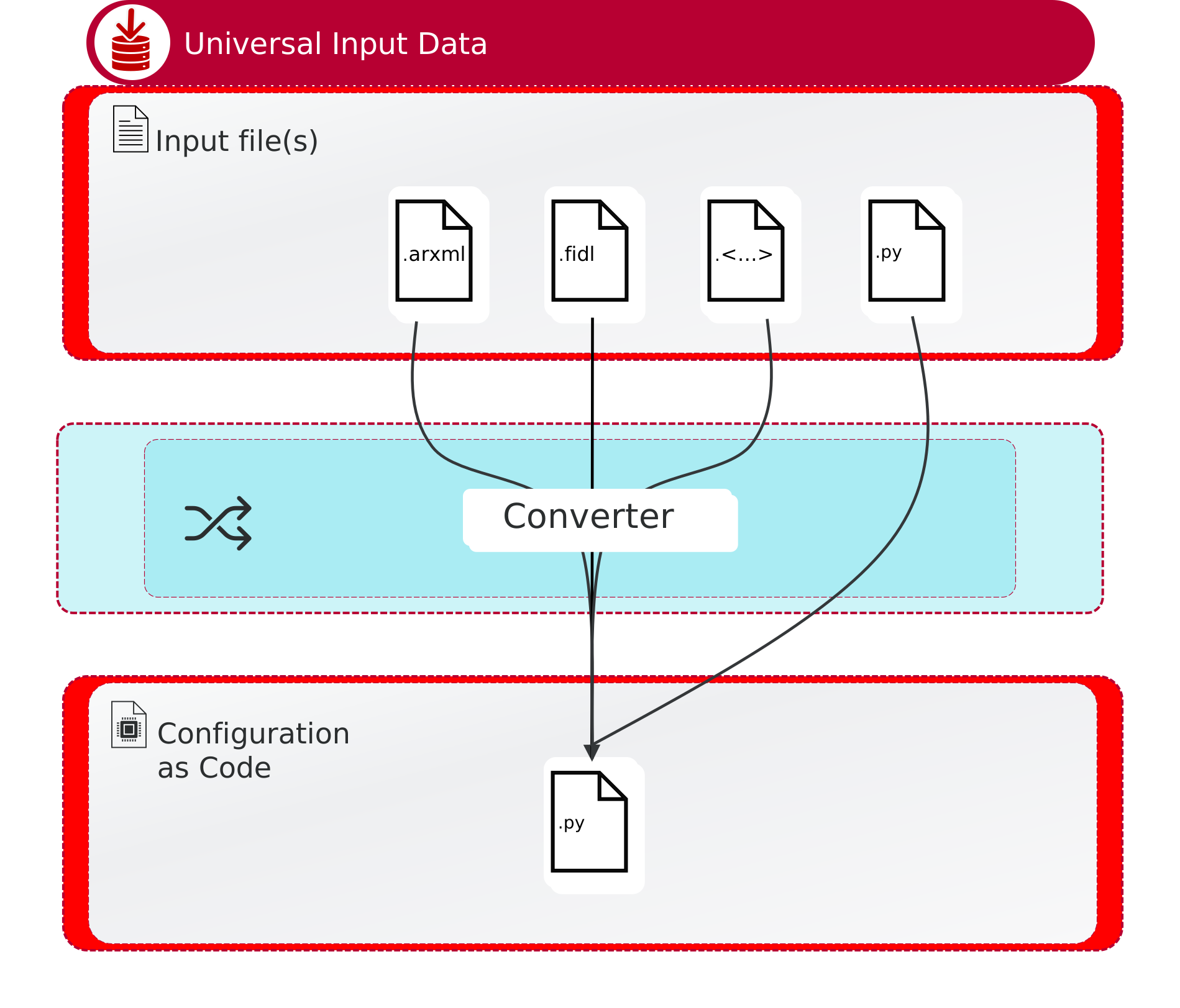
In the spirit of modularity and extendability, Forge does not limit the input to one specific format as was the case with ARXML based tools and workflows. We acknowledge that configuration could depend on information that exists in various input formats. However, not all of them are suitable for collaboration or can be considered an as-Code format.
The choice of the input format depends on your specific use case, team preferences, as well as existing tools and workflows. In general, we recommend using the Forge Python API for new projects and for teams that are comfortable with Python, as it offers the most flexibility and power. However, if you have an existing ARXML-based workflow or prefer a more visual approach, using ARXML as an input format can be a valid choice.
Therefore, we made the following simplifications:
-
The VES middleware is configured by JSON files both in build (input to generators) and runtime.
-
The JSON files can be generated from various input formats, but the configuration is always consumed in JSON format.
-
The Forge Python API is the most flexible and powerful way to generate the JSON configuration.
-
We support other input formats by providing converters to JSON/Python (for example, ARXML).
|
Input format options are not mutually exclusive. You can use different formats for different parts of your configuration or combine them within the same project, as long as they ultimately generate the required JSON configuration for VES. Converters are domain-specific: an ARXML converter of the Communication domain is completely different from an ARXML converter of the Diagnostics domain. Each Integration Component package provides its own converters for the formats it supports. |
ARXML
ARXML is the most common alternative to the Forge Python API, especially for teams with an existing ARXML-based workflow or a preference for a visual editing approach. Forge converters turn ARXML input into the JSON or Python configuration models that the Forge pipeline requires; see Run a Forge Converter below.
|
DaVinci Developer Adaptive (DvDevA) is a Vector tool for editing and validating ARXML files in a graphical editor. If your project uses ARXML as input for Forge, you can use DvDevA to prepare that ARXML before running it through a Forge converter. See the DaVinci Developer Adaptive User Manual for detailed guidance on using the tool. |
Run a Forge Converter
Forge converters translate input files from a supported format (such as ARXML or Franca IDL) into the JSON or Python configuration models that the Forge pipeline requires.
Converters are domain-specific: the available options, input file requirements, and output naming conventions differ by domain and input format. Each converter ships with its own user manual that provides the complete reference for that converter.
You can run a Forge converter in two ways:
-
As a standalone CLI tool directly from your terminal.
-
By importing it as a Python package and invoking it from within a Forge Python script.
CLI Usage
All converters follow a common command-line pattern:
forge-converter-<name> INPUT_FILE OUTPUT [OPTIONS]Replace <name> with the converter name, INPUT_FILE with your input file path, and OUTPUT with the target output file or directory.
The following options are available across all converters:
| Option | Default | Description |
|---|---|---|
|
|
Controls whether the converter writes Python source code or JSON output. |
|
N/A |
Shows the help message with usage instructions and available options. |
|
Refer to the user manual of the specific converter for the full list of options, input file requirements, and output file naming conventions. |
Python API Usage
Each converter is also available as a Python package that you can import and call directly from your Forge Python scripts:
from forge_converter_<name> import <ConverterClass>

converter = <ConverterClass>('path/to/input_file')
converter.write_into('output/')
To generate JSON output instead of Python code:
from forge_converter_base.output_format import OutputFormatEnum

converter.write_into('output/', output_format=OutputFormatEnum.JSON)
After conversion, the converter object exposes parsed models that you can access directly in your Python configuration:
service_interfaces = converter.model.service_interfaces
data_types = converter.model.data_types|
Class names, module paths, and available model attributes differ by converter. Refer to the user manual of the specific converter for exact import paths and API details. |