Origin Traceability
Origin traceability in DaVinci Configurator Classic tracks the origin of data by identifying the source data from which it is derived or generated. It does not track changes or modifications to the data itself, but rather focuses on documenting where the data comes from.
Enable Traceability
To enable traceability in DaVinci Configurator Classic, set the system property OriginTracingEnabled to the value true.
Add the following line to the configuration file in the installation directory of the DaVinci Configurator Classic core: ./dvcfgcore/dvcfgcore.config.
-DOriginTracingEnabled=trueUse Traceability
Since version 6.2, traceability is available for IFP output and for Generator output. The trace output is written as JSON files to the following folder:
./Output/TraceOrigin Traceability Information in the Properties View
This file is also read by DaVinci Configurator Classic, and the trace information is displayed in the Properties View. For example, if a trace exists for a derived container created by the IFP, it will be displayed in the Properties View with the corresponding "Source" information.
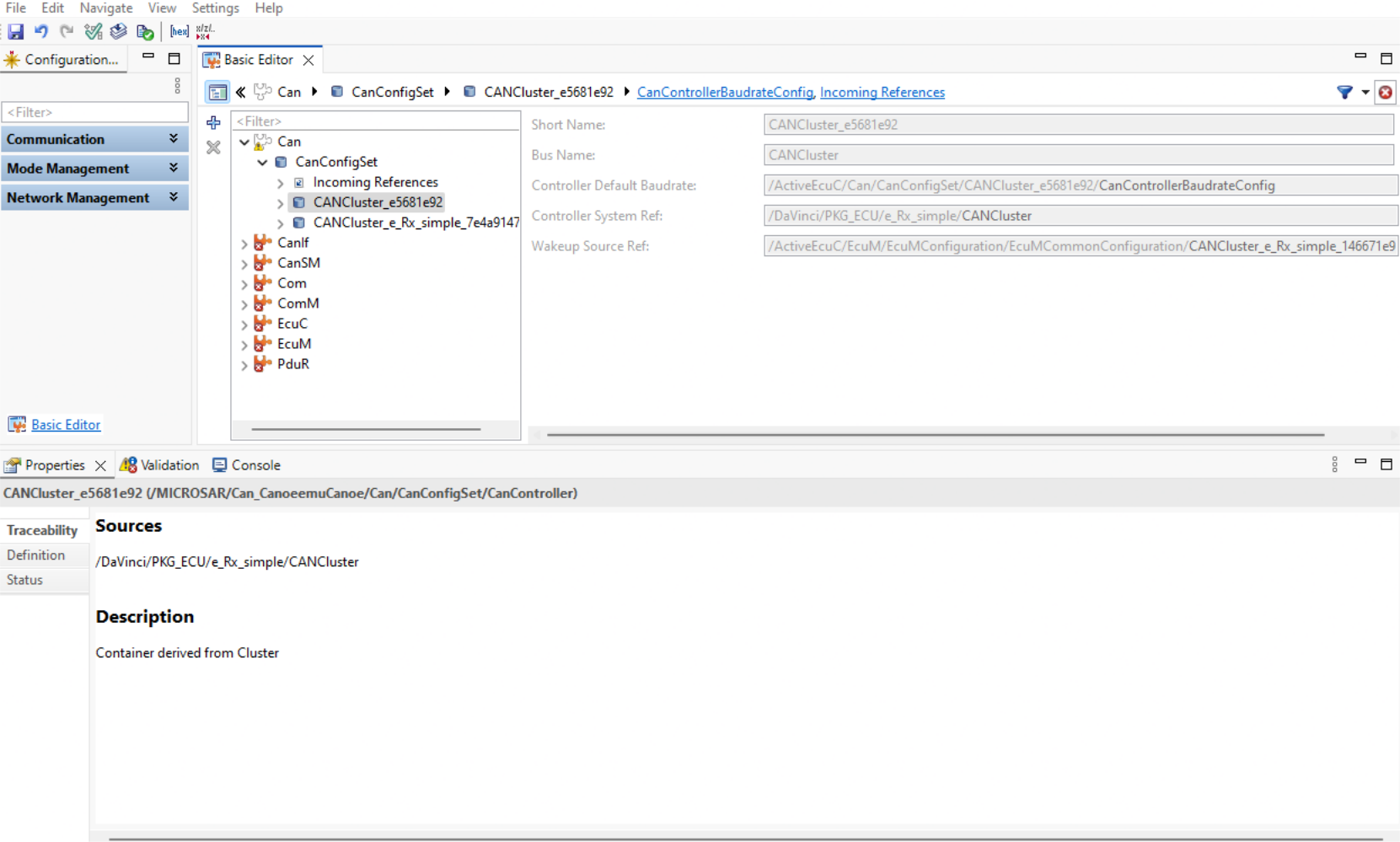
SARIF Report for Generator Output
For the Generator output, the trace information is also written to a SARIF report.
This allows you to identify the source of generated code in C source and header files (.c and .h).
TIP: Use a SARIF viewer that supports the "Open in Editor" functionality (for example, the SARIF Viewer extension for Visual Studio Code).
This lets you navigate from the generated code back to the source data in your project.
Learn more in SARIF.