Extend a Real-Target Setup with vVIRTUALtarget
If your BSW Package only supports a Real-Target, you can extend your BSW Package and configuration with vVIRTUALtarget to switch your project from Real-Target only to Dual-Target.
-
vVIRTUALtarget installed and licensed.
-
Read the PDF Info_Virtualization from your delivery (DeliveryInformation) and the README included in the vVIRTUALtarget Upgrade Package, and follow its installation steps.
-
Choose Real Target & Virtual Target (vVIRTUALtarget) as the Target Type in Project Settings or the
General.dvjsonfile.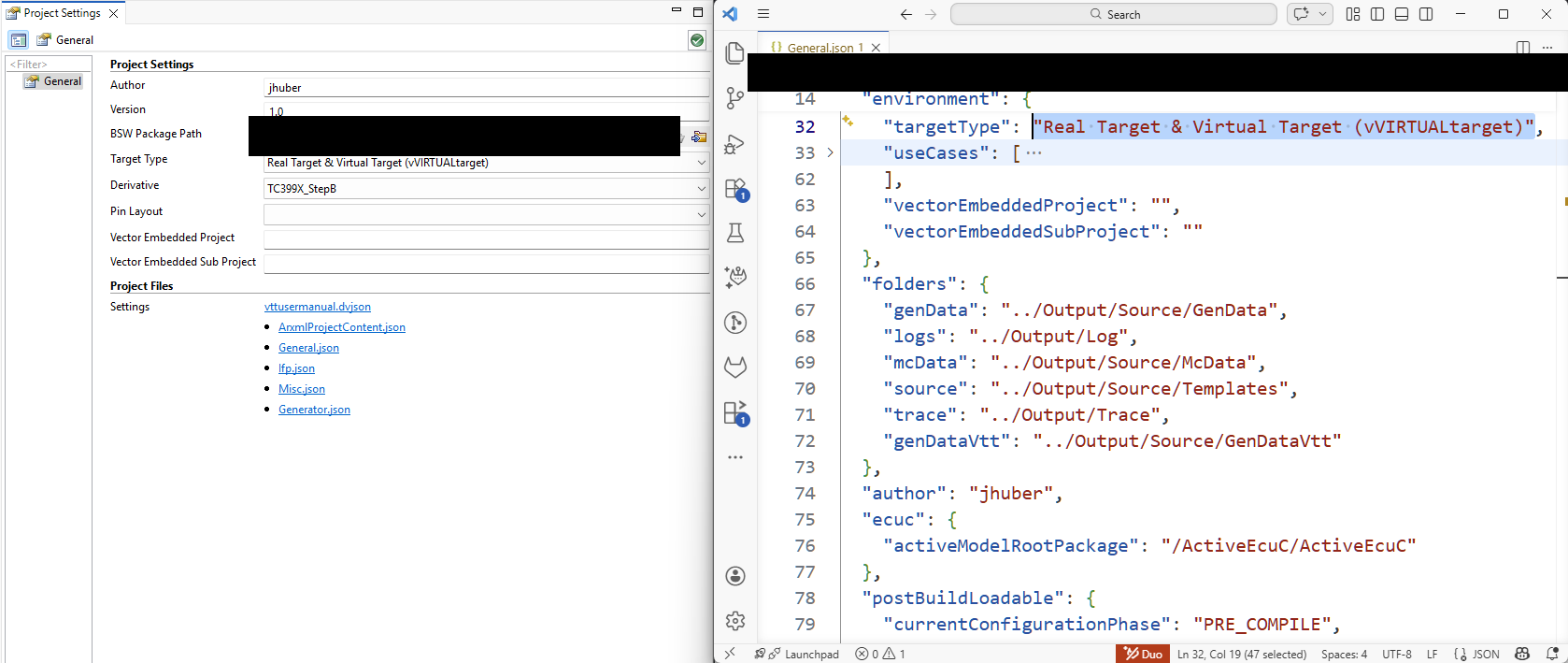 Figure 1. Real Target & Virtual Target (vVIRTUALtarget)
 -
Add the VTT counterparts to the Real-Target modules, manually or via Solving Action.
 Figure 2. Use Solving Action to add VTT modules
 -
Synchronize the modules by triggering and solving the upcoming solving actions.
 Figure 3. Solve Actions
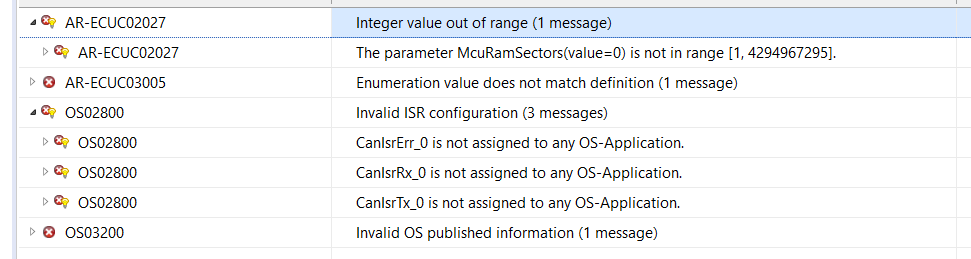 Figure 4. Validation View
 -
Create a vVIRTUALtarget project, as described in Set Up a vVIRTUALtarget Project with DaVinci Configurator, then generate code for vVIRTUALtarget: open the Generate dialog (<F9>) and select Virtual Target (vVIRTUALtarget) in Generation Target.
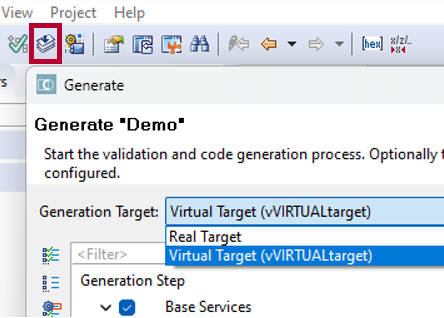 Figure 5. Select Generation Target